
RainyRizzle
KICK KICK | Second trailer
1:26

RainyRizzle
KICK KICK | The First 10 Minutes of Gameplay & Introduction
10:38

RainyRizzle
AnyPortrait Manual | Some examples of improved IK Controller
0:43

RainyRizzle
AnyPortrait Manual | Comparison of FABRIK and CCD
0:23

RainyRizzle
AnyPortrait Manual | Controlling Animation Speed with Scripts
0:39

RainyRizzle
Peacock The Aria / AnyPortrait #Shorts
0:47

RainyRizzle
Peacock The Aria / AnyPortrait
2:41

RainyRizzle
Run & Jump! : Jiggle Bone Demo / AnyPortrait
2:12

RainyRizzle
Halloween! : Animation Process / AnyPortrait
3:22

RainyRizzle
Tutorial1.5. Changing the face with Transform Modifier (v1.1.6)
4:43

RainyRizzle
Tutorial6.2. Creating Meshes and adding Screen Effects
17:13

RainyRizzle
Tutorial6.6. Creating Animations
23:01

RainyRizzle
Tutorial6.5. Animating rest parts using Control Parameters
20:27
RainyRizzle
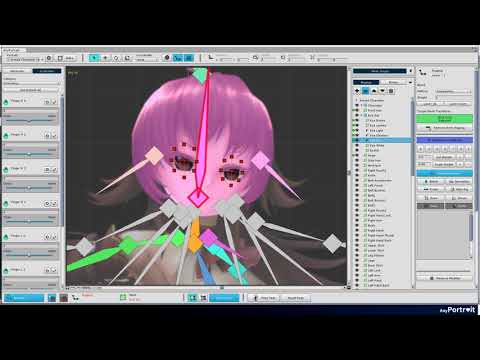
Tutorial6.4. Adding Bones with Rigging modifer
25:33

RainyRizzle
Tutorial6.3. Animating the robot hands using Control Parameters
8:40

RainyRizzle
Tutorial6.1. Configuring the illustration in the scene
10:08

RainyRizzle
Tutorial5.4. Create a Runner Game with scripts
37:30

RainyRizzle
Tutorial5.3. Create "Run" and "Jump" motions
15:24

RainyRizzle
Tutorial5.2. Create "Idle" motion
16:48

RainyRizzle
Tutorial5.1. Make meshes and bones
10:49

RainyRizzle
AnyPortrait - Sample of Exporting a FHD Movie (v1.1.3)
1:21

RainyRizzle
Tutorial4.3. Move the character with a Script
6:16
RainyRizzle
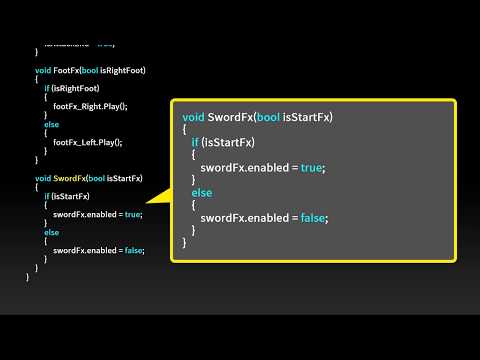
Tutorial4.4. Adding effects using Sockets and Animation Events
6:33

RainyRizzle
Tutorial4.2. Create animations
19:23

RainyRizzle
Tutorial4.1. Create a character with Bones
16:53

RainyRizzle
AnyPortrait - Fusion with 3D Level
0:46

RainyRizzle
AnyPortrait x Kinect Tech Demo
1:36

RainyRizzle
AnyPortrait - Key Features
1:28

RainyRizzle
Tutorial3.6. Controlling the character with Scripts
9:09

RainyRizzle
Tutorial3.5. Creating Animations
32:45

RainyRizzle
Tutorial3.4. Moving the character's Body, Arms, and Hands
5:29

RainyRizzle
Tutorial3.3. Making a Face with various facial expressions
24:10

RainyRizzle
Tutorial3.2. Adding Bones with Rigging
17:09
RainyRizzle
Tutorial3.1. Importing the PSD file and creating Meshes
15:34

RainyRizzle
Tutorial1.8. Creating a Thumbnail (v1.0.3)
2:14

RainyRizzle
Tutorial2.7 Complete the Bone Animation
5:28

RainyRizzle
Tutorial2.6 Creating an Animation Clip
3:10

RainyRizzle
Tutorial2.5 Using the Rigging Modifier
10:16

RainyRizzle
Tutorial2.4 Adding Bones
4:51

RainyRizzle
Tutorial2.3 Clipping Layer
2:40

RainyRizzle
Tutorial2.2 Edit meshes for Bone Animation
9:10

RainyRizzle
Tutorial2.1 Import the PSD file
3:42

RainyRizzle
Tutorial1.8. Creating a Thumbnail
0:54
RainyRizzle
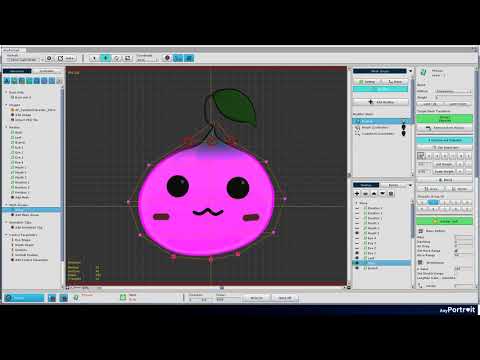
Tutorial1.7. Adding Physical Effects
2:11

RainyRizzle
Tutorial1.6. Using Morph Modifier
5:18

RainyRizzle
Tutorial1.5. Changing the face with Transform Modifier
3:57

RainyRizzle
Tutorial1.4. Adding Control Parameters
2:21

RainyRizzle
Tutorial1.3 Creating Mesh Groups
2:33

RainyRizzle
Tutorial1.1 Starting AnyPortrait and creating apPortrait
1:57

RainyRizzle
Tutorial1.2 Adding Images and creating meshes
6:36

RainyRizzle
AnyPortrait Release Trailer
2:09

RainyRizzle
AnyPortrait - Login screen styled Sample
1:23

RainyRizzle
AnyPortrait Trailer (GGGC Version)
0:42

RainyRizzle
TwoSide Super Orbit Action - Trailer 2 (Play)
2:25

RainyRizzle
TwoSides Super Orbit Action - Trailer 1
2:30

RainyRizzle
TwoSides (투사이드) - Super Orbit Action Trailer
0:37

RainyRizzle
Two Sides Play Preview
0:30
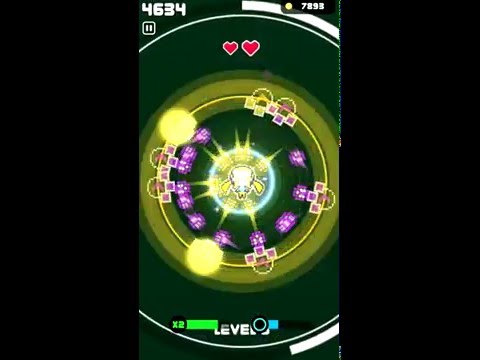
RainyRizzle
Two Sides Play Preview
0:30