
CustomerFeedback
Step 3: Add staff members/Agents via CSV file
1:21

CustomerFeedback
Step 4: Paste your email signature widget into your CRM system
1:00

CustomerFeedback
Paso 4: Pegue su widget de firma de correo electrónico en su sistema CRM
0:59

CustomerFeedback
Passaggio 4: incolla il widget della firma e-mail nel tuo sistema CRM
0:59

CustomerFeedback
Étape 4 : Collez votre widget de signature électronique dans votre système CRM
0:59

CustomerFeedback
Paso 4: Pegue su widget de firma de correo electrónico en su sistema CRM
0:59

CustomerFeedback
Schritt 4: Fügen Sie Ihr E-Mail-Signatur-Widget in Ihr CRM-System ein
0:59

CustomerFeedback
Schritt 3: So importieren Sie Mitarbeiter per CSV
1:23

CustomerFeedback
Paso 3: Importar miembros del personal mediante un archivo CSV
1:23

CustomerFeedback
Étape 3 : Importer les membres du personnel via un fichier CSV
1:23

CustomerFeedback
Passaggio 3: importare i membri dello staff tramite file CSV
1:23

CustomerFeedback
Paso 3: Importar miembros del personal a través de G-suite
0:42

CustomerFeedback
Étape 3 : Importer les membres du personnel via G-suite
0:42

CustomerFeedback
Passaggio 3: importare i membri dello staff tramite G-suite
0:42

CustomerFeedback
Schritt 3: Mitarbeiter aus G-Suite importieren
0:42
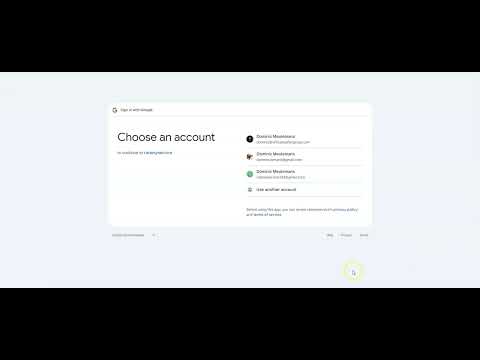
CustomerFeedback
Step 3: Import staff members from G-Suite
0:42

CustomerFeedback
Passaggio 4: invia il widget ai membri dello staff
0:53
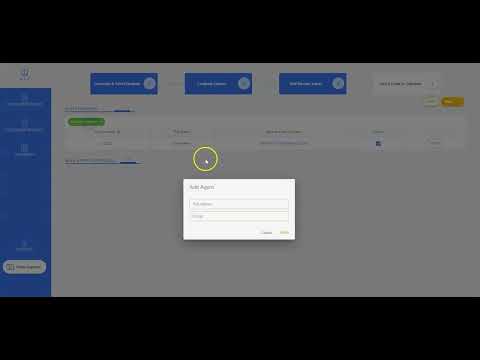
CustomerFeedback
Passaggio 3: aggiungere manualmente il personale
0:37

CustomerFeedback
Fase 2: Opzioni di feedback interno ed esterno
1:49

CustomerFeedback
Passaggio 4: aggiungi il tuo widget a Gmail
1:04

CustomerFeedback
Passaggio 1: personalizza il tuo widget
1:40

CustomerFeedback
Passaggio 4: Tutorial su Outlook e Office 365
1:16

CustomerFeedback
Fase 4: Tutorial HTML
1:09

CustomerFeedback
Il tutorial del software
3:05

CustomerFeedback
Étape 4 : Envoyer le widget au membre du personnel
0:53

CustomerFeedback
Étape 4 : Tutoriel Outlook et Office 365
1:16
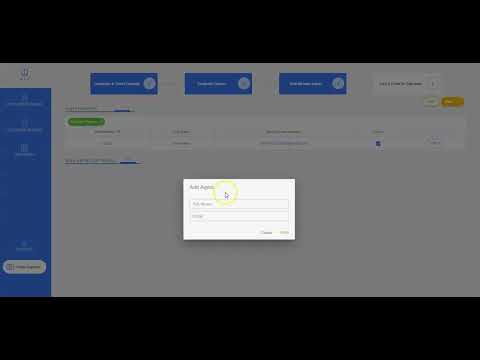
CustomerFeedback
Étape 3 : ajouter des membres du personnel manuellement
0:37

CustomerFeedback
Le didacticiel du logiciel
3:05

CustomerFeedback
Étape 2 : Options de rétroaction interne et externe
1:52

CustomerFeedback
Étape 4 : Tutoriel HTML
1:09

CustomerFeedback
Étape 4 : ajoutez votre widget à Gmail
1:04

CustomerFeedback
Étape 4 : ajoutez votre widget à Gmail
1:04

CustomerFeedback
Étape 1 : Personnalisez votre widget
1:40
CustomerFeedback
Schritt 4: Füge dein Widget in Gmail hinzu
1:04

CustomerFeedback
Schritt 4: HTML-Tutorial
1:09

CustomerFeedback
Schritt 4: Widget per E-Mail an Mitarbeiter senden
0:53

CustomerFeedback
Schritt 4: Outlook- und Office 365-Tutorial
1:16

CustomerFeedback
Schritt 3: Mitarbeiter manuell hinzufügen
0:37

CustomerFeedback
Schritt 2: Interne vs. externe Feedback-Optionen
1:52

CustomerFeedback
Das Software-Tutorial
3:05

CustomerFeedback
Schritt 1: Passen Sie Ihr Widget an
1:40

CustomerFeedback
El tutorial de software
3:05

CustomerFeedback
Paso 4: Tutorial de Outlook y Office 365
1:16

CustomerFeedback
Paso 4: Enviar el widget por correo electrónico al miembro del personal
0:53

CustomerFeedback
Paso 4: agrega un widget a Gmail
1:04

CustomerFeedback
Paso 3: agregar personal manualmente
0:37

CustomerFeedback
Paso 4: Tutorial HTML
1:09

CustomerFeedback
Paso 2: Opciones de retroalimentación interna y externa
1:52

CustomerFeedback
Paso 1: personaliza tu widget de correo electrónico
1:40

CustomerFeedback
Step 3: Importing Staff Manually
0:37

CustomerFeedback
Step 4: Email Widget to Agent Tutorial
0:53

CustomerFeedback
Step 4: Outlook and Office 365 Tutorial
1:16

CustomerFeedback
Step 4: Gmail Tutorial
1:05

CustomerFeedback
Step 1: Customize your Widget
1:40

CustomerFeedback
The Software Tutorial
3:05

CustomerFeedback
Step 2: Internal vs External Feedback Options
1:52

CustomerFeedback
Step 4: HTML Tutorial
1:09

CustomerFeedback
Step 4: CRM and Ticket System Tutorial
1:16