
LÂM TIÊN SINH ( THẦY GIÁO LÂM)
Power Apps Canvas. Custom và train con AI của Microsoft trích xuất thông tin Serial của hóa đơn GTGT
19:41

LÂM TIÊN SINH ( THẦY GIÁO LÂM)
Power Apps Canvas: AI trích xuất text viết tay
11:19

LÂM TIÊN SINH ( THẦY GIÁO LÂM)
Power Apps Canvas. AI builder trích xuất thông tin hoá đơn GTGT
26:52

LÂM TIÊN SINH ( THẦY GIÁO LÂM)
Power Apps Canvas. Sử dụng AI builder của Microsoft để trích xuất thông tin trên Bill thanh toán
20:07

LÂM TIÊN SINH ( THẦY GIÁO LÂM)
Power Apps Canvas. Tips: in barcode trong Power Apps#powerapps
9:31

LÂM TIÊN SINH ( THẦY GIÁO LÂM)
Power Apps Canvas. Lịch giảng dạy của mình
0:36

LÂM TIÊN SINH ( THẦY GIÁO LÂM)
Power App Canvas. Khoá học đã sẵn sàng
0:20

LÂM TIÊN SINH ( THẦY GIÁO LÂM)
Power Apps Canvas: Báo cáo tồn kho phụ tùng
1:20

LÂM TIÊN SINH ( THẦY GIÁO LÂM)
Power Apps Canvas: Review Phần mềm Quản lý Hệ thống cửa hàng xe máy BMS
5:44
LÂM TIÊN SINH ( THẦY GIÁO LÂM)
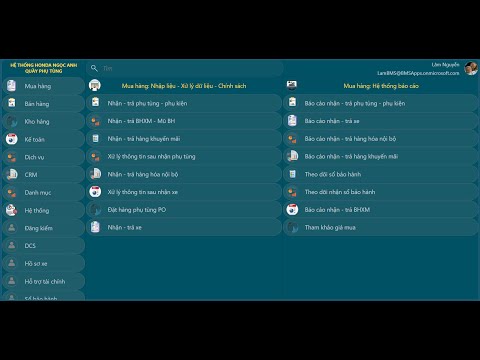
Power Apps Canvas: Review Phần mềm quản lý Hệ thống cửa hàng xe máy BMS
12:13

LÂM TIÊN SINH ( THẦY GIÁO LÂM)
Power Apps Canvas: Review Hệ thống báo cáo trong Phần mềm Quản lý hệ thống cửa hàng xe máy B.M.S
13:43

LÂM TIÊN SINH ( THẦY GIÁO LÂM)
Power Apps Canvas: Review chức năng Mua hàng trong Phần mềm Quản lý hệ thống cửa hàng xe máy B.M.S
30:37
LÂM TIÊN SINH ( THẦY GIÁO LÂM)
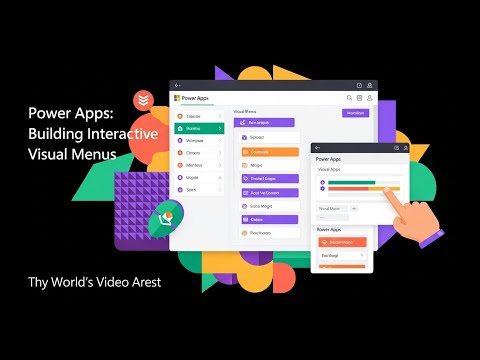
Power Apps Canvas: Review ứng dụng quản lý Hệ thống cửa hàng xe máy B.M.S - P. 1 #powerapps
13:47

LÂM TIÊN SINH ( THẦY GIÁO LÂM)
Power Apps Canvas. Review: Build Multi-User Teaching Schedule Power App #powerapps
20:39

LÂM TIÊN SINH ( THẦY GIÁO LÂM)
Power Apps: Custom Calendar Week-of-Year Display #powerapps
0:28

LÂM TIÊN SINH ( THẦY GIÁO LÂM)
Power Apps: Dynamic Account Submenu Design #powerapps
0:29

LÂM TIÊN SINH ( THẦY GIÁO LÂM)
Building a Custom Power Apps Calendar #powerapps
0:28

LÂM TIÊN SINH ( THẦY GIÁO LÂM)
Power Apps Canvas. Tips 005: Building a Custom Power Apps Calendar #powerapps
12:53

LÂM TIÊN SINH ( THẦY GIÁO LÂM)
Power Apps Canvas. Tips 004: Customize comboboxcanvas
25:24

LÂM TIÊN SINH ( THẦY GIÁO LÂM)
Power Apps Canvas. Tips 003: Create sub menu (cont...) #powerapps
14:04

LÂM TIÊN SINH ( THẦY GIÁO LÂM)
Power Apps Canvas: Tips 002: Create sub menu #powerapps
15:14

LÂM TIÊN SINH ( THẦY GIÁO LÂM)
Power App Canvas. Tips 001: Get and show user info
19:09
LÂM TIÊN SINH ( THẦY GIÁO LÂM)
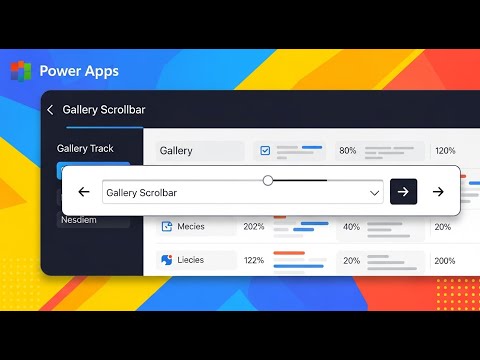
Power Apps Canvas. Unit 24: Gallery scroll Vertical and Horizontal
18:28

LÂM TIÊN SINH ( THẦY GIÁO LÂM)
Power Apps Canvas. Unit 23: Upload image from Computer to Sharepoint list
22:09

LÂM TIÊN SINH ( THẦY GIÁO LÂM)
Power Apps Canvas. Unit 22: Image camera and Sharepoint list #powerapps
20:09

LÂM TIÊN SINH ( THẦY GIÁO LÂM)
Power Apps Canvas. Unit 21: Send email
8:24

LÂM TIÊN SINH ( THẦY GIÁO LÂM)
Power Apps Canvas. Unit 20: How to run a store procedure SQL
28:10

LÂM TIÊN SINH ( THẦY GIÁO LÂM)
Power Apps Canvas. Unit 19: SQL Server and Power Apps
10:39

LÂM TIÊN SINH ( THẦY GIÁO LÂM)
Power Apps Canvas. Mini app for sales #powerapps #excel #microsoftpowerapps #microsoftpowerplatform
1:14

LÂM TIÊN SINH ( THẦY GIÁO LÂM)
Power App Canvas. Dynamic menu #powerapps #microsoftpowerapps
2:10

LÂM TIÊN SINH ( THẦY GIÁO LÂM)
Power Apps Canvas. Unit 18: Modern control and run app on Desktop Windows #powerapps
35:59

LÂM TIÊN SINH ( THẦY GIÁO LÂM)
Power Apps Canvas. Unit 17: Sharepoint and Power Apps
16:24
LÂM TIÊN SINH ( THẦY GIÁO LÂM)
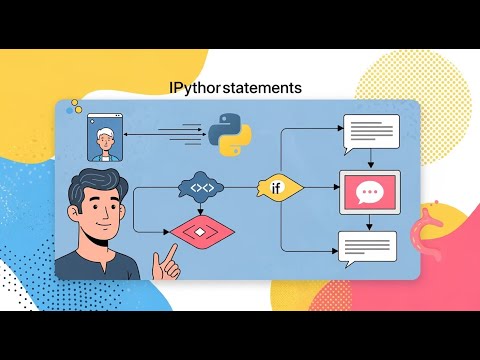
Học lập trình Python. Bài 5: Phép so sánh và câu lệnh điều kiện
23:27

LÂM TIÊN SINH ( THẦY GIÁO LÂM)
Lập trình Python.Bài 4: Kiểu dữ liệu. Nhập - xuất dữ liệu #phython
15:51

LÂM TIÊN SINH ( THẦY GIÁO LÂM)
Power Apps Canvas: QR code & Barcode #microsoftpowerapps #microsoftpowerplatform #powerapps
0:32

LÂM TIÊN SINH ( THẦY GIÁO LÂM)
Power Apps Canvas. Unit 16: QR code & Barcode #powerapps
12:38

LÂM TIÊN SINH ( THẦY GIÁO LÂM)
Lập trình Python. Bài 3: Toán tử +, -, *, /, //, %, ** #python #pythonprogramming #pythontutorial
18:20

LÂM TIÊN SINH ( THẦY GIÁO LÂM)
Lập trình Python. Bài 2: Biến và sử dụng biến trong Python #python
24:41

LÂM TIÊN SINH ( THẦY GIÁO LÂM)
Lập trình Python. Bài 1: Chuẩn bị môi trường lập trình Python và Hello #python #pythonprogramming
23:09

LÂM TIÊN SINH ( THẦY GIÁO LÂM)
Container Popup confirm message box #microsoftpowerapps #microsoftpowerplatform #powerapps
0:55
LÂM TIÊN SINH ( THẦY GIÁO LÂM)
Power Apps Canvas. Unit 15: Container and Popup Confirm Message box #microsoftpowerapps #powerapps
19:59

LÂM TIÊN SINH ( THẦY GIÁO LÂM)
Power Apps Canvas: Dynamic menu gallery #microsoftpowerapps #microsoftpowerplatform #powerapps
0:18

LÂM TIÊN SINH ( THẦY GIÁO LÂM)
Power Apps Canvas. Unit 14: Dynamic menu gallery from Excel #microsoftpowerapps #powerapps
29:21

LÂM TIÊN SINH ( THẦY GIÁO LÂM)
Power Apps Canvas. Collapse/Expand Gallery #microsoftpowerapps #microsoftpowerplatform #powerapps
0:41

LÂM TIÊN SINH ( THẦY GIÁO LÂM)
Power Apps Canvas. Unit 13: Collapse/Expand Gallery #microsoftpowerapps #powerapps
15:02

LÂM TIÊN SINH ( THẦY GIÁO LÂM)
Master and Detail Gallery #microsoftpowerapps #microsoftpowerplatform #powerapps
0:38

LÂM TIÊN SINH ( THẦY GIÁO LÂM)
Power Apps Canvas. Unit 12: Master and Detail Gallery #microsoftpowerapps #powerapps
28:27

LÂM TIÊN SINH ( THẦY GIÁO LÂM)
Power App Canvas. Edit - Delete row in Excel #microsoftpowerapps #microsoftpowerplatform #powerapps
1:26

LÂM TIÊN SINH ( THẦY GIÁO LÂM)
Power Apps Canvas.Unit 11: Excel & Power App Canvas-Edit-Delete row #microsoftpowerapps #powerapps
33:02

LÂM TIÊN SINH ( THẦY GIÁO LÂM)
Power Apps Canvas. Unit 10: Excel & Power Apps Canvas - Gallery #microsoftpowerapps #powerapps
24:23

LÂM TIÊN SINH ( THẦY GIÁO LÂM)
Excel & Power Apps Canvas #microsoftpowerapps #powerapps #microsoftpowerapps
1:17

LÂM TIÊN SINH ( THẦY GIÁO LÂM)
Excel & Power Apps Canvas #microsoftpowerapps #powerapps #microsoftpowerapps
1:19

LÂM TIÊN SINH ( THẦY GIÁO LÂM)
Power Apps Canvas. Unit 9: Excel & Power Apps Canvas-Patch function #microsoftpowerapps #powerapps
15:39

LÂM TIÊN SINH ( THẦY GIÁO LÂM)
Power Apps Canvas. Unit 8: Timer control - Traffic light #microsoftpowerapps #powerapps
22:23
LÂM TIÊN SINH ( THẦY GIÁO LÂM)
Power Apps Canvas. Unit 7: Toggle control #microsoftpowerapps #powerapps
5:12

LÂM TIÊN SINH ( THẦY GIÁO LÂM)
Power Apps Canvas. Unit 6: Radio control #microsoftpowerapps #powerapps
9:11

LÂM TIÊN SINH ( THẦY GIÁO LÂM)
Power Apps Canvas. Unit 5: DatePicker, Dropdown control #microsoftpowerapps #powerapps
30:23

LÂM TIÊN SINH ( THẦY GIÁO LÂM)
Power Apps Canvas. Unit 4: Listbox, Checkbox control #microsoftpowerapps #powerapps
21:55

LÂM TIÊN SINH ( THẦY GIÁO LÂM)
Power Apps Canvas. Unit 3: Combobox control #microsoftpowerapps #powerapps
20:02

LÂM TIÊN SINH ( THẦY GIÁO LÂM)
Power Apps Canvas. Unit 2: Sử dụng biến, thuộc tính, biểu thức trong Power App #powerapps
31:44

LÂM TIÊN SINH ( THẦY GIÁO LÂM)
Power Apps Canvas. Unit 1: Create your first application #microsoftpowerapps #powerapps
19:48

LÂM TIÊN SINH ( THẦY GIÁO LÂM)
Giới thiệu khu vườn relax sau thời gian lập trình mệt mỏi
2:01