
Handcent Next SMS
New AI features in Handcent Next SMS messenger
1:28

Handcent Next SMS
AI features
1:28

Handcent Next SMS
AI features in Handcent Next SMS messenger
1:28

Handcent Next SMS
Install beta apk from gmail with Samsung One UI 7
1:06

Handcent Next SMS
Restore message from trash -Handcent Next SMS
0:18

Handcent Next SMS
How to manually back up -- Handcent Next SMS
0:27

Handcent Next SMS
Handcent Next SMS
1:27

Handcent Next SMS
Handcent Next SMS
1:23

Handcent Next SMS
Install Next SMS Beta through email
0:50

Handcent Next SMS
Album auto backup
1:12

Handcent Next SMS
Photos back up
0:29

Handcent Next SMS
New signature
0:13

Handcent Next SMS
New private box
0:44

Handcent Next SMS
Set Handcent as not optimized
1:10

Handcent Next SMS
How to use Handcent Anywhere
1:31

Handcent Next SMS
How to personalize in Handcent Next SMS
2:18
Handcent Next SMS
How to use private box
0:38
Handcent Next SMS
How to back up and restore messages
0:44

Handcent Next SMS
How to apply new themes -Handcent Next SMS
0:42

Handcent Next SMS
How to generate report in Next SMS
0:38
Handcent Next SMS
Next Photos
0:54

Handcent Next SMS
New features of Version 8.9.6
4:10

Handcent Next SMS
The different schedule tasks view
0:22

Handcent Next SMS
How to Remote control
1:19

Handcent Next SMS
How to use Quote feature
0:15

Handcent Next SMS
How to Auto Forward
1:50

Handcent Next SMS
How to set Handcent Groups
0:28

Handcent Next SMS
How to set reminder
0:27
Handcent Next SMS
Handcent Christmas Activity
1:21

Handcent Next SMS
Handcent Next SMS 8.5
1:09

Handcent Next SMS
Handcent Next SMS 8.5
1:09

Handcent Next SMS
How to set up regular scheduled task
0:25

Handcent Next SMS
How to set up a scheduled task
1:09

Handcent Next SMS
Handcent Next SMS
1:16
Handcent Next SMS
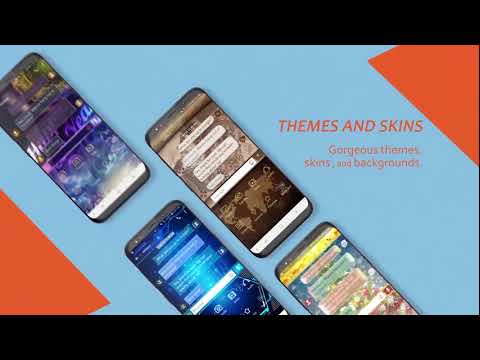
Handcent Next SMS Intro
1:09

Handcent Next SMS
Next SMS 7.9 - Show page preview
0:33

Handcent Next SMS
Next SMS 7.9 - Remark (Mood) feature
0:26

Handcent Next SMS
Hide Privacy Box by mistook and how to access it?
0:44
Handcent Next SMS
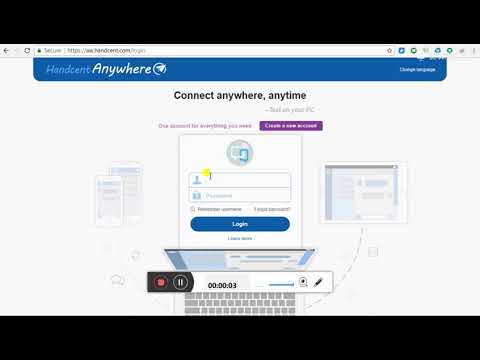
How to use Handcent Anywhere(How to link your computer(PC/Mac) to cellphone)
1:37

Handcent Next SMS
Next SMS 7.8 - Custom popup font
0:39

Handcent Next SMS
Next SMS 7.8 - Custom for certain one conversation font
0:26

Handcent Next SMS
Next SMS 7.8 - Custom all conversation font
0:46

Handcent Next SMS
Next SMS 7.8 - Custom conversation list font
0:26

Handcent Next SMS
Next SMS 7.8 - Custom font for any part of Handcent Next SMS
1:09

Handcent Next SMS
Add a personal signature to your messages
0:48

Handcent Next SMS
How to personalize each contact's conversation window
1:53

Handcent Next SMS
How to restore private messages
0:57

Handcent Next SMS
Copy and paste
0:44

Handcent Next SMS
How to use private list
0:57

Handcent Next SMS
How to use schedule task
1:04

Handcent Next SMS
How to personalize your conversation window
2:17

Handcent Next SMS
How to personalize each contact's ringtone and notification icon
0:45

Handcent Next SMS
Forgot private box pattern Here's how to reset and use a pin to unlock private box
0:59

Handcent Next SMS
How to set up delivery report
2:18

Handcent Next SMS
How to back up
1:04

Handcent Next SMS
How to restore messagesAfter you've backed it up
1:13

Handcent Next SMS
How to set Group chatSend message to every one in group
0:44

Handcent Next SMS
How to view your delivery report
0:11

Handcent Next SMS
How to send slideshow
0:44

Handcent Next SMS
How to unbind devices
0:42

Handcent Next SMS
Having issues with Handcent Next SMS Send us feedback and log to get it fixed
0:50

Handcent Next SMS
Handcent Anywhere instruction
1:14

Handcent Next SMS
How to customize your background
1:24

Handcent Next SMS
How to keep Handcent Anywhere on
0:18

Handcent Next SMS
Receive all your text messages
0:32

Handcent Next SMS
Solution to missing texts
0:22

Handcent Next SMS
Solution to missing texts
0:31
Handcent Next SMS
Next SMS 7.3 - New Features
1:54

Handcent Next SMS
Video MMS with compression
0:21

Handcent Next SMS
Next SMS 7.3 - Sending gifs with Google Keyboard
0:24
Handcent Next SMS
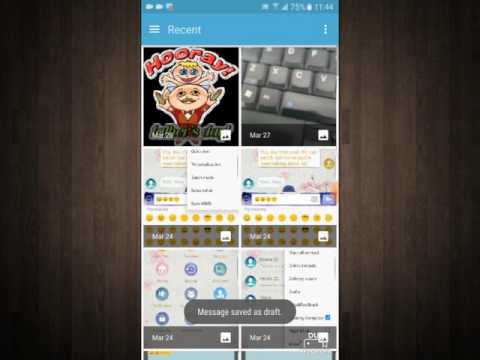
Next SMS 7.3 - New bubble style
0:55

Handcent Next SMS
Next SMS 7.3 - New background options
0:54

Handcent Next SMS
Next SMS - Set colorful skin
0:33

Handcent Next SMS
Next SMS - Make calls by swiping right
0:14
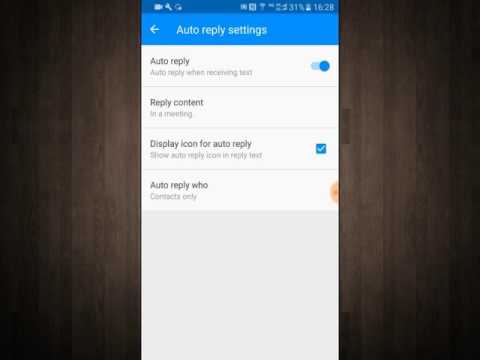
Handcent Next SMS
Next SMS - Set auto reply
0:37

Handcent Next SMS
Next SMS 7.2 new features
1:24

Handcent Next SMS
Handcent Anywhere Tutorial
1:53