
LFTB
Good news; Web development online courses specially for visually impaired with screen reader
10:37
LFTB
CSS lecture 16, Exploring CSS Background Properties: A Complete Guide with screen reader
28:02
LFTB
CSS lecture 15, explain white-space, text-overflow, overflow and column-count
15:16
LFTB
CSS lecture 14 Google Fonts and custom font Tutorial for Visually Impaired Beginners
14:18
LFTB
CSS lecture 13 describe CSS display, visibility and cursor properties
17:55
LFTB
CSS lecture 12. explain CSS float, clear and z index properties.
12:22
LFTB
CSS lecture 11 describe CSS absolute and relative units practically
21:42

LFTB
CSS lecture 10 explain height and width properties
14:54
LFTB
CSS lecture 9 describe margin and padding properties
11:53
LFTB
CSS lecture 8 describe CSS border and border radius properties
11:37

LFTB
CSS lecture 7 explain CSS box model
5:29
LFTB
CSS lecture 6 explain colour methods and background colour and colour properties
21:24

LFTB
CSS lecture 5 CSS font properties
12:32

LFTB
My Mind-Reading AI Website: A Review of Its Features and Functions!
11:20

LFTB
CSS lecture 4. text properties for styling
11:28
LFTB
complete HTML course in one video
4:42:24
LFTB
CSS lecture 3. basic selectors of CSS
15:42

LFTB
CSS lecture 2. CSS basic syntax, methods of implement CSS in HTML and link external CSS file
12:26
LFTB
CSS lecture 1 with screen reader. CSS introduction, benefits of CSS and types of CSS.
8:28

LFTB
part 3. install vs code extension live server, explore settings and key bindings with screen reader
17:07

LFTB
part 2. create NVDA profile for VS code, shortcut keys and customise NVDA for VS code
11:25

LFTB
part 1. download and install VS code with screen reader NVDA
8:53
LFTB
web development series for visually impaired person part 34 describe HTML meta tags
8:01
LFTB
web development series for visually impaired person part 33 describe action attribute in form tag
5:18
LFTB
web development series for visually impaired person part 32 describe fieldset and legend tag
9:19
LFTB
web development series for visually impaired person part 31 describe input types related date, time
9:26
LFTB
web development series for visually impaired person part 30 describe input types file URL tel number
12:23

LFTB
web development series for visually impaired person part 29 describe optgroup and datalist tag
16:28

LFTB
web development series for visually impaired person part 28 describe checkbox radio button selectbox
17:13
LFTB
web development series for visually impaired person part 27 describe form label and input tag
18:46

LFTB
web development series for visually impaired person part 26 describe object tag and iframe tag
9:23
LFTB
web development series for visually impaired person part 25 describe embed tag with attributes
12:58

LFTB
web development series for visually impaired person part 24 describe HTML 5 website layout tags
14:21

LFTB
web development series for visually impaired person part 23 describe div, span and section tag
7:50

LFTB
web development series for visually impaired person part 22 describe figure tag and figcaption tag
6:14
LFTB
web development series for visually impaired person part 21 describe video tag with attributes
13:14

LFTB
web development series for visually impaired person part 20 describe audio tag with attributes
8:33
LFTB
web development series for visually impaired person part 19 describe caption tag, colspan, rowspan
16:19

LFTB
web development series for low vision person part 18 describe table,tr,th,td tag with attributes
15:22
LFTB
web development series for visually impaired person part 17 describe definition list, dl DT DD tag
8:42
LFTB
web development series for visually impaired person part 16 describe order list and unorder list
9:50

LFTB
web development series for low vision person part 15 difference between block and inline element
5:16

LFTB
web development series for visually impaired person part 14 describe HTML global attributes
11:24
LFTB
web development series for visually impaired person part 13 describe button tag with shortcut keys
13:39
LFTB
web development series for visually impaired person part 12 describe download attribute, email link
10:47

LFTB
web development series for visually impaired person part 11 how to create link,how to link HTML page
15:11
LFTB
web development series for visually impaired person part 10 describe IMG tag with IMG attributes
5:09

LFTB
HTML CSS JavaScript project live code editor review
8:48

LFTB
web development series for visually impaired person part 9 describe heading tag with align attribute
8:19
LFTB
web development series for visually impaired person part 8. describe p tag with all attributes
6:49
LFTB
web development series for visually impaired person part 7. describe base tag and source attribute
10:12

LFTB
web development series for visually impaired part 6. describe body tag and set image in background
8:20
LFTB
web development series for visually impaired person part 5. describe code tag, KBD tagwith examples
6:00
LFTB
web development series for visually impaired person part 4. describe Q tag PRE tag ABBR tag and DFN
9:39
LFTB
web development series for visually impaired person part 3. describe font tag with font attributes
11:20
LFTB
web development series for visually impaired person part 2. how to formatting text in HTML
18:25

LFTB
web development series for visually impaired person. part 1 with screen reader
11:18

LFTB
how to use your Android Mobil as external mic with PC. Android ko mic ki Tarah kaise use Karen
4:32
LFTB
a visually impaired person how to create website? LFTB channel new web page review for NVDA users
6:04
LFTB
four important application for read your PDF files, images and document with TalkBack.
7:05
LFTB
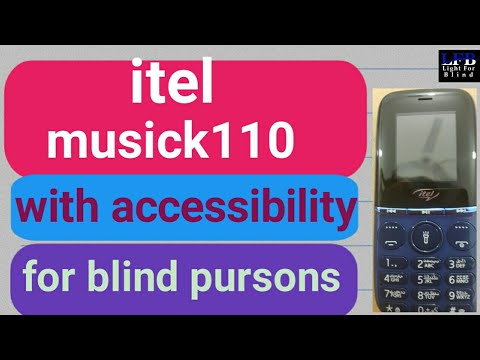
Itel musick110 mobile accessibility feature test and complete review on lftb channel
13:26

LFTB
Itel musick110 mobile with accessibility feature, unboxing on lftb channel
7:58

LFTB
how to convert pdf file into audio and any text convert into audio in an android on lftb channel
9:21
LFTB
how to copy complete pdf book in android,how to convert pdf file into txt file on lftb channel.
10:16