
My Graphics Class
Stroke Assignment
3:27

My Graphics Class
A Closer Look at the Stroke Pallete
11:08

My Graphics Class
Variable Line Width Explained
13:52

My Graphics Class
Strokes and the Appearance Pallete
9:27

My Graphics Class
calligraphr 4
17:45

My Graphics Class
calligraphr 3
24:06

My Graphics Class
calligraphr 2
6:48

My Graphics Class
calligraphr 1
10:24

My Graphics Class
high contrast serif 1
19:10

My Graphics Class
low contrast san 3
18:51

My Graphics Class
low contrast san 2
18:17

My Graphics Class
low contrast san 1
16:10

My Graphics Class
Alphanatomy 3
16:28

My Graphics Class
Alphanatomy 2
8:04

My Graphics Class
Alphanatomy Intro
9:15

My Graphics Class
05 Putting it all together
24:47

My Graphics Class
02 Leading
13:21

My Graphics Class
03 tracking kerning
19:56

My Graphics Class
04 Applying Fill and Stroke
15:21

My Graphics Class
01 Intro to Type in Illustrator
10:43
My Graphics Class
Pathfinders 2
15:57

My Graphics Class
Pathfinders 1
18:28

My Graphics Class
Transformations Explained
26:49

My Graphics Class
Typography Basics
36:08

My Graphics Class
Blend Options in Illustrator
30:22

My Graphics Class
My Script Font 1
26:20

My Graphics Class
My Script Font 2
14:56

My Graphics Class
252- Entertainment Campaign Poster 5
1:03:03

My Graphics Class
252- Entertainment Campaign Poster 1
29:52
My Graphics Class
252- Entertainment Campaign Poster 3
30:53

My Graphics Class
252-Intro to Entertainment Campaign
25:26

My Graphics Class
252- Entertainment Campaign Poster 2
19:59

My Graphics Class
252- Entertainment Campaign Poster 4
32:48

My Graphics Class
252 texture
31:25

My Graphics Class
252 stock art
34:48

My Graphics Class
252 filters
39:01
My Graphics Class
252 gradient mask
24:53

My Graphics Class
252 adjustments
29:55

My Graphics Class
Logo Design - Final Presentation
19:28

My Graphics Class
Logo Design - A Few Photoshop Tips
15:18

My Graphics Class
Logo Design - Saving Correctly
10:50

My Graphics Class
Logo Design - Prepping for Photoshop
9:12

My Graphics Class
Introduction to Logo Design - Type Studies
36:26
My Graphics Class
Introduction to Logo Design - More Evolved Tips
14:28
My Graphics Class
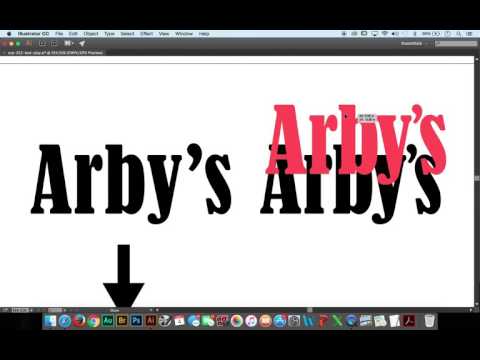
Introduction to Logo Design - Evolved Design
36:31

My Graphics Class
Logo Design - Working with Appropriate Color
41:35

My Graphics Class
Logo Design - Packaging a Document
5:51

My Graphics Class
Filters and Effects 101
22:12

My Graphics Class
Introducing Styles!
12:47

My Graphics Class
Cleaning up the Wheel with Masks
10:42

My Graphics Class
Applying Styles across Layers Photoshop
7:32

My Graphics Class
Mask Basics with Styled Objects
6:27

My Graphics Class
Putting the Color Wheel to Bed
4:41

My Graphics Class
Understanding and Using Color Effectively
29:02

My Graphics Class
Beginning the Color Wheel - Photoshop Shapes
10:51

My Graphics Class
Beginning the Color Wheel - An Actual Wheel... Oh My!!!
8:25

My Graphics Class
Beginning the Color Wheel - Moving Illustrator files to Photoshop
20:06

My Graphics Class
Beginning the Color Wheel - Illustrator
19:23

My Graphics Class
Beginning the Color Wheel - Photoshop
8:22

My Graphics Class
5.4b - Visiting the Surreal Image and Flattening
27:21

My Graphics Class
5.1b - Editing Exercise
22:16

My Graphics Class
5.1a - Editing Tools & Techniques in Photoshop 2
33:31

My Graphics Class
5.2b - Compositing with Masks
31:34

My Graphics Class
5.1a - Editing Tools & Techniques in Photoshop 1
22:47

My Graphics Class
5.2a - Intro to Compositing
23:46

My Graphics Class
Stamp Design Finishing Touches
35:06

My Graphics Class
4.6.5 Saving in Adobe Photoshop
2:31

My Graphics Class
4.6.6 Building my Harry Potter Duck
12:00

My Graphics Class
4.6.6 Working with Different Kinds of Layers
31:59

My Graphics Class
4.6.4 Adobe Photoshop Selections 3
17:14

My Graphics Class
4.6.2 PS New Document & Workspaces
15:11

My Graphics Class
4.6.4 Adobe Photoshop Selections 2
14:32

My Graphics Class
4.6.1 PS Introduction
15:56

My Graphics Class
4.6.3 Intro to PS Layers
8:58

My Graphics Class
4.6.4 Adobe Photoshop Selections 1
13:42

My Graphics Class
4.4g1 Type on a Path
14:04

My Graphics Class
4.4g2 Area Type Tool
15:34

My Graphics Class
4.4f Text Effects with Appearance
11:50

My Graphics Class
4.4c Paragraph Text
13:07

My Graphics Class
4.4g Type on a Path & Area Type
13:14

My Graphics Class
4.4e More Point Text
17:21

My Graphics Class
4.4h 1 phrase 10 ways Assignment
7:05

My Graphics Class
4.4d Point Text
24:03

My Graphics Class
4.2a Critiquing Artwork
17:50

My Graphics Class
4.1 Building a Successul Portfolio
20:36

My Graphics Class
3.7j Drawing a Cartoon in Illustrator-5
22:50

My Graphics Class
3.7j Drawing a Cartoon in Illustrator-4
8:17

My Graphics Class
3.7j Drawing a Cartoon in Illustrator-3
21:47
My Graphics Class
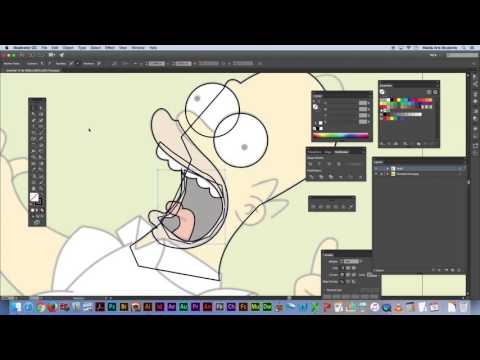
3.7j Drawing a Cartoon in Illustrator-2
17:50
My Graphics Class
3.7j Drawing a Cartoon in Illustrator-1
5:00

My Graphics Class
3.7h Creating an Environment for our Zoo Animals-2
14:38

My Graphics Class
3.7h Creating an Environment for our Zoo Animals-1
24:02

My Graphics Class
3.7g Zoo Animal Drawing-3
6:59

My Graphics Class
3.7g Zoo Animal Drawing-2
30:17

My Graphics Class
3.7g Zoo Animal Drawing-1
22:03

My Graphics Class
3.7c Pen Tool Training Drawings
21:16

My Graphics Class
3.7b The Pen Tool Expanded
16:27

My Graphics Class
3.7a Intro to the Pen Tool
17:47