
CUBoulderOIT
Secure Computing Setup Guide - macs
14:56

CUBoulderOIT
Secure Computing Setup Guide - Windows
10:59
CUBoulderOIT
CU Secure Wi-Fi - Register and Connect an iPhone
3:09

CUBoulderOIT
CU Secure Wi-Fi - Register and Connect a Windows computer
3:17

CUBoulderOIT
CU Secure Wi-Fi - Register and Connect a Mac computer
3:39

CUBoulderOIT
Register for CU Secure Wi-Fi!
1:22

CUBoulderOIT
Overview of Classroom Capture Setup
3:32

CUBoulderOIT
Select a Source on a Touch Panel
1:19

CUBoulderOIT
Using Microphones in Classroom Capture Plus Rooms
1:45

CUBoulderOIT
Enhance your Classroom Capture Recordings
1:12

CUBoulderOIT
Using Touch Panel Camera Controls
1:06

CUBoulderOIT
Access Camera and Microphone for Video Conferencing
2:04

CUBoulderOIT
Share files using OneDrive
5:27

CUBoulderOIT
Microsoft Defender Quarantine Overview and Tips
5:58

CUBoulderOIT
Enhance your Classroom Capture recordings
1:12

CUBoulderOIT
Using Microphones in Classroom Capture + Rooms
1:45

CUBoulderOIT
Select a Source on a Touch Panel
1:16

CUBoulderOIT
Access Camera and Microphone for Video Conferencing
2:04

CUBoulderOIT
Using Touch Panel Camera Controls
1:10

CUBoulderOIT
Buff Portal Advising - How to meet with a different advisor
0:59

CUBoulderOIT
How to schedule an appointment in Buff Portal Advising
1:18

CUBoulderOIT
Buff Portal Advising Student Guide
6:34

CUBoulderOIT
Getting Started With Technology (Students) | CU Boulder OIT
3:35

CUBoulderOIT
How to Register for Multi-Factor Authentication (MFA) | CU Boulder
2:21

CUBoulderOIT
How to Use the 455HD Phone | Microsoft Teams
2:47

CUBoulderOIT
How to Use the 435 HD Phone | Microsoft Teams
2:47

CUBoulderOIT
How to Use the 405HD Phone | Microsoft Teams
2:24

CUBoulderOIT
CUClickers: Access your account, register your clicker - web browser
1:22

CUBoulderOIT
CUClickers: Access your account, register your clicker - mobile
1:32

CUBoulderOIT
How to set your iClicker frequency
0:37

CUBoulderOIT
CU Boulder | Transition From Cisco Phones to Microsoft Teams Calls
2:25

CUBoulderOIT
Microsoft Teams | How to Block Numbers and Change Your Status / Notification Preferences
4:23

CUBoulderOIT
CU Boulder's Office of Information Technology - Services and Support
1:40
CUBoulderOIT
CU Boulder - Google Ending Unlimited Storage
11:09

CUBoulderOIT
Assign a Call Delegate and Configure Call Answering Rules in Teams Calls
2:25
CUBoulderOIT
Access Dial pad & Initiate Multi-party Call in Teams Calls
1:46

CUBoulderOIT
Place a Call on Hold and Transfer a Caller with Teams Calls
1:44

CUBoulderOIT
Manage Contacts and Speed Dial in Teams Calls
3:00

CUBoulderOIT
Configure Voicemail in Teams Calls
1:37
CUBoulderOIT
Introduction to Microsoft Teams
4:07
CUBoulderOIT
How to Activate and Manage Passwords for Secondary Accounts
1:23

CUBoulderOIT
How to reset a forgotten IdentiKey password
1:38

CUBoulderOIT
How to change your IdentiKey Password
1:29

CUBoulderOIT
How to Activate an IdentiKey
2:51

CUBoulderOIT
How to Use VPN
2:32

CUBoulderOIT
Using Breakout Rooms In Microsoft Teams & Zoom
2:54

CUBoulderOIT
CU Boulder Medium Space Hybrid Meetings
4:55

CUBoulderOIT
CU Boulder Small Space Hybrid Meetings
5:29

CUBoulderOIT
Why Teams?
3:21
CUBoulderOIT
Outlook Teams Add-In
1:30
CUBoulderOIT
On Campus Wifi Options
2:43

CUBoulderOIT
Call Forwarding and Accessing Voicemail
2:25

CUBoulderOIT
CU Boulder VPN - When To Connect
2:08

CUBoulderOIT
Home Networking 101
1:07:23
CUBoulderOIT
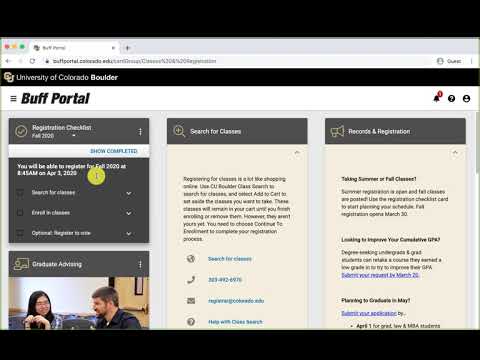
Registering for Classes with Buff Portal
1:19

CUBoulderOIT
Unofficial transcripts in Buff Portal
1:36

CUBoulderOIT
Waitlist features in Buff Portal
1:38

CUBoulderOIT
View and Pay your Tuition Bill in Buff Portal
1:00

CUBoulderOIT
Teaching Tools in Buff Portal
0:52
CUBoulderOIT
Employee Resources in Buff Portal
0:59
CUBoulderOIT
Export your schedule from Buff Portal to iCal
1:30

CUBoulderOIT
Export your schedule from Buff Portal to Google Calendar
2:10

CUBoulderOIT
Editing your classes in Buff Portal
1:51

CUBoulderOIT
Advising Appointments in Buff Portal
1:30

CUBoulderOIT
Buff Techs CASE Building Location
0:37

CUBoulderOIT
Web Grading Sync Tutorial
3:46

CUBoulderOIT
Is This Accessible?
29:00

CUBoulderOIT
Tab Order Accessibility
2:54

CUBoulderOIT
Fragrance Files
5:44

CUBoulderOIT
A Screen Magnifier Interacts with Graphic Effects
4:20

CUBoulderOIT
Printing with wepa at CU Boulder
3:53

CUBoulderOIT
Programmatic Information Makes Visible Information Accessible to the Screen Reader
3:53

CUBoulderOIT
Focus and Tab Order Help with Screen Reader Accessibility
2:06

CUBoulderOIT
Give Users Control of Content for Screen Reader Accessibility
3:03

CUBoulderOIT
Navigating Disorganized Content with a Screen Reader
12:25

CUBoulderOIT
Meaningful Labels for Screen Reader Accessibility
2:19

CUBoulderOIT
Accessible Forms with a Screen Reader
6:11

CUBoulderOIT
Navigating Clutter with a Screen Reader
15:38

CUBoulderOIT
Pop Up Box Accessibility for Screen Readers
1:43

CUBoulderOIT
Information of Change and Screen Reader Accessibility
1:00

CUBoulderOIT
Importance of Headings to Screen Readers
6:39

CUBoulderOIT
Accessible Drop Down Menus with a Screen Reader
3:10

CUBoulderOIT
Inappropriate Table Use and Screen Reader
3:13

CUBoulderOIT
Form Accessibility with a Screen Reader
4:41

CUBoulderOIT
Table Accessibility with a Screen Reader
6:53

CUBoulderOIT
Accessible and Inaccessible Graphics with a Screen Reader
5:02

CUBoulderOIT
Don't Get Hooked By Phishing
2:04

CUBoulderOIT
Screen Reader Demo
7:09

CUBoulderOIT
GDS Shorts: Wireless Registration
1:09
CUBoulderOIT
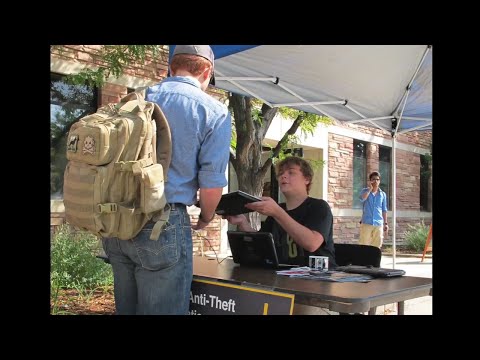
GDS Shorts: Laptop Registration
1:01

CUBoulderOIT
EMEN 5005 Course Redesign
5:45

CUBoulderOIT
Galaxy Clusters and the Janus Supercomputer
2:20

CUBoulderOIT
Improving Public Statistics with the Janus Supercomputer
1:45

CUBoulderOIT
Extreme Climate Modeling and the Janus Supercomputer
1:51

CUBoulderOIT
Permafrost Carbon Feedback and the Janus Supercomputer
2:06
CUBoulderOIT
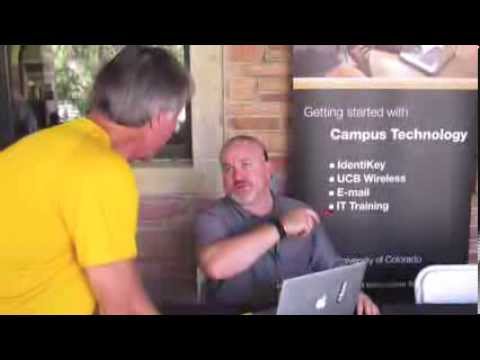
This Is OIT
1:34